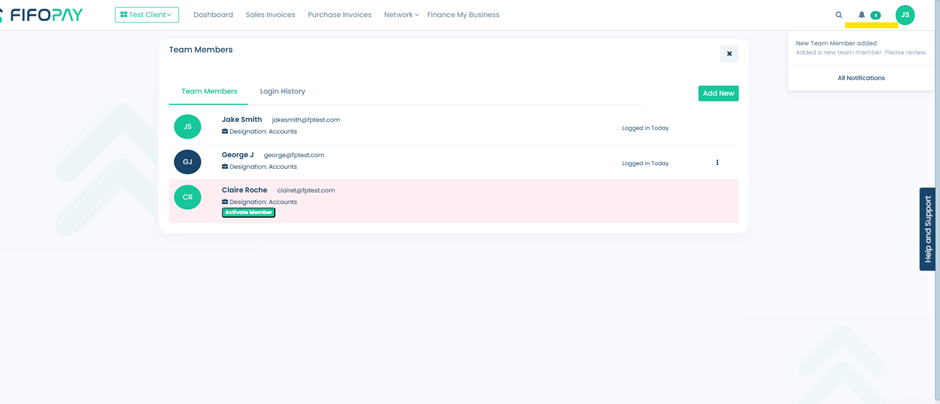
To strengthen security and control over team access, we've introduced a new User Activation Workflow.
Now, when a new member is added to the platform by someone other than the Primary User or Admin, their account will remain inactive by default. The new user cannot access the platform until their account is manually activated.
Key highlights:
- Only Admins or the Primary User can activate newly added members.
- Admins/Primary Users will receive a notification when a new member is added.
- Pending members will appear under Team Members with an option to activate them.
This ensures tighter access control and prevents unauthorised or unintended platform usage.
Steps to approve a new user.
1. Either check the notification bell in the top-right corner of the taskbar, or access the Team Members section, click on your Organisation Name located in the taskbar on Fifopay.