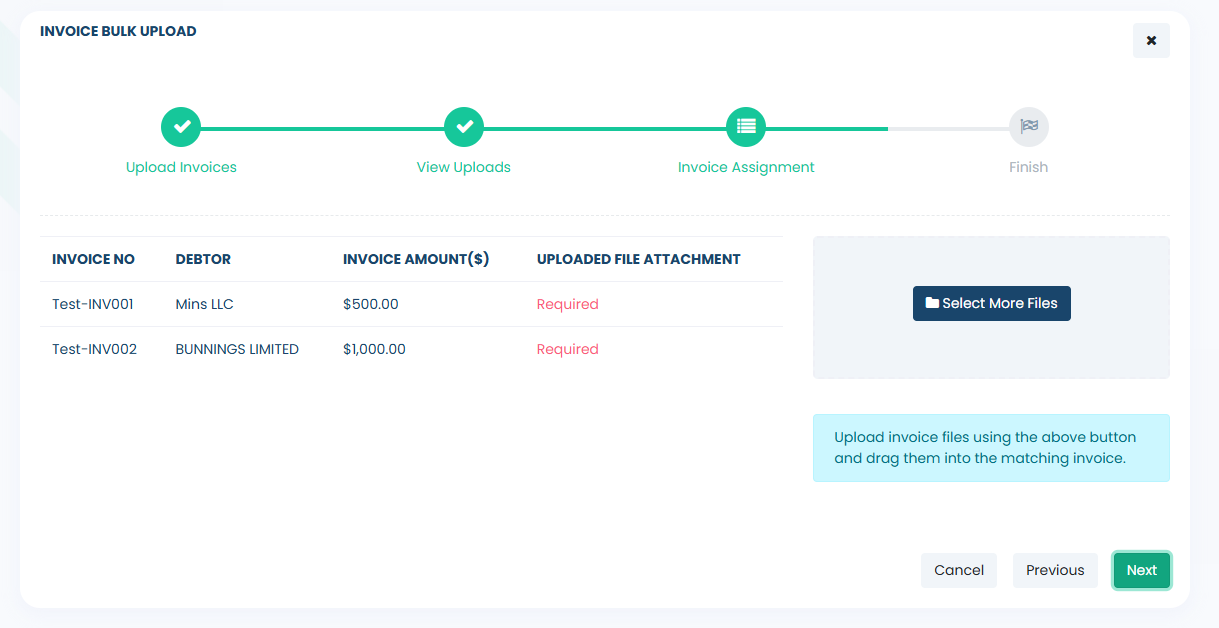
- From the main dashboard, locate the circular widget and select the amount displayed inside it to open the relevant facility. Once the facility has opened, choose the Bulk Upload option.
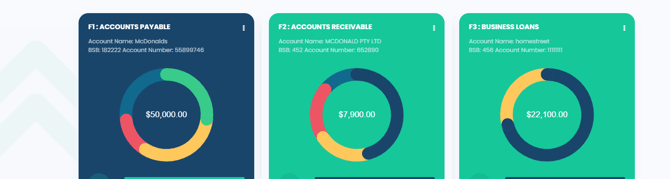

- Click on the "Download Sample Template" to obtain an Excel spreadsheet template. Be sure to complete all required fields with the relevant details of the invoices you intend to upload for funding. Save the spreadsheet on your computer.
- To upload your saved file, click on the Browse File icon (illustrated below) to upload your completed invoice template.
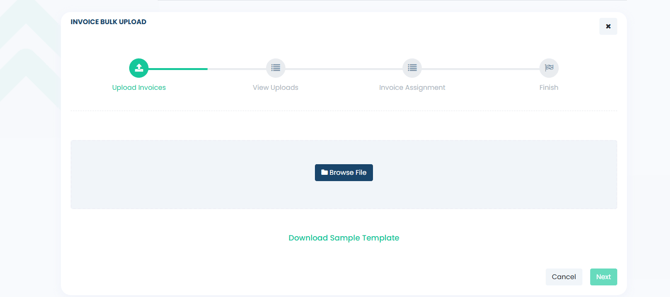
- From here, a list of invoices from the Excel file will be displayed. Please review each entry to ensure the data has been uploaded correctly. To edit or remove a debtor, use the corresponding icons on the right-hand side of the debtor list. Once you have finalised the debtor list, click Next to continue.
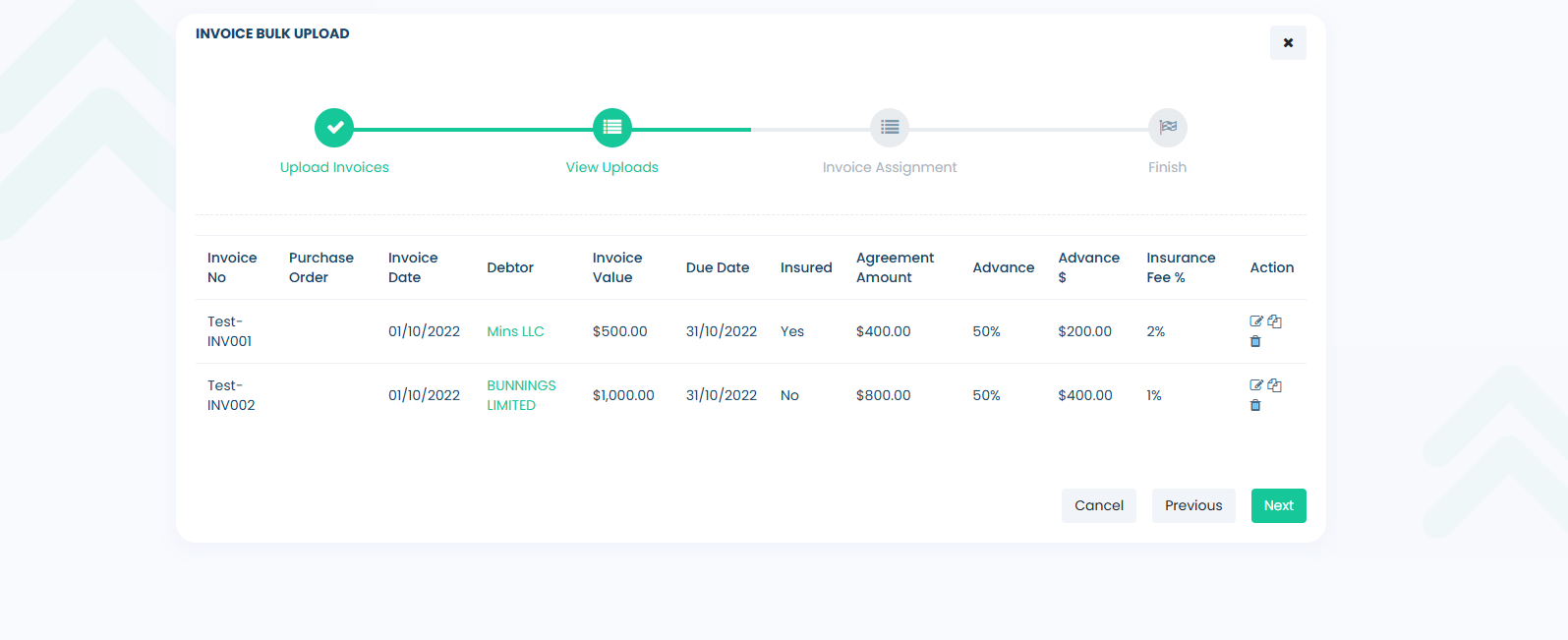
- In the final step, you will need to upload the invoice attachments for each invoice you are submitting. Click on "Select More Files" to upload the PDFs for each invoice. Once uploaded, these files will be displayed, allowing you to easily drag them to their corresponding invoices. Additionally, you can include multiple attachments for each invoice transaction if necessary.