- How to Link a Supplier to a Facility in Fifopay Follow the steps below to link a supplier to a facility in Fifopay. Ensure you have the necessary admin permissions to assign suppliers before proceeding. If a supplier has been added but does not appear in the supplier list, assign it to a facility.
-
Select the supplier that is not yet assigned to a facility. This displays the Assign Facility option, as shown below.

-
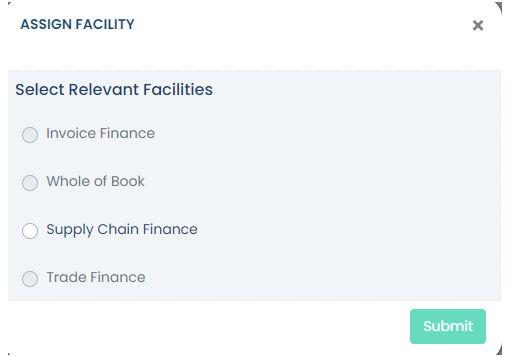
A dialog box appears listing all facilities associated with your account. Select the appropriate facility. If only one facility is registered with Fifopay, it will be the only option available.
-
Click Submit. The supplier is now linked to the selected facility. To verify the link, return to the supplier list and confirm the supplier now appears under the assigned facility.
English
