Follow these steps to view and export your Accounts Payable transaction statement.
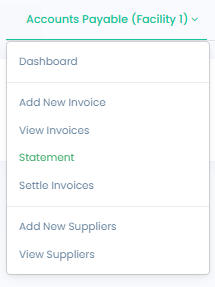
Log in to your account and navigate to the Accounts Payable section from the main menu.- In the Accounts Payable dropdown menu, select Statement.
- Select a start and end date for the statement period, then click View Transaction Statement to display the statement. To download a copy, click Export. The statement can be exported as a PDF or CSV file.

English
